The Foundation
Before the team started using Figma for client work, I rebuilt every inherited XD wireframe template with auto layout and responsive principles applied. I wanted the team to have real, consistent assets to work with from day one. Training focused on helping the designers build their own understanding of how the tool worked, and how their workflows would be different from what they were used to in XD.
I set up a file organization structure suited to the work and the constraints of our plan: one project per client, one file per deliverable, with a consistent page structure inside every file.
Moving tools was an opportunity to build the framework, not just patch up the old one.
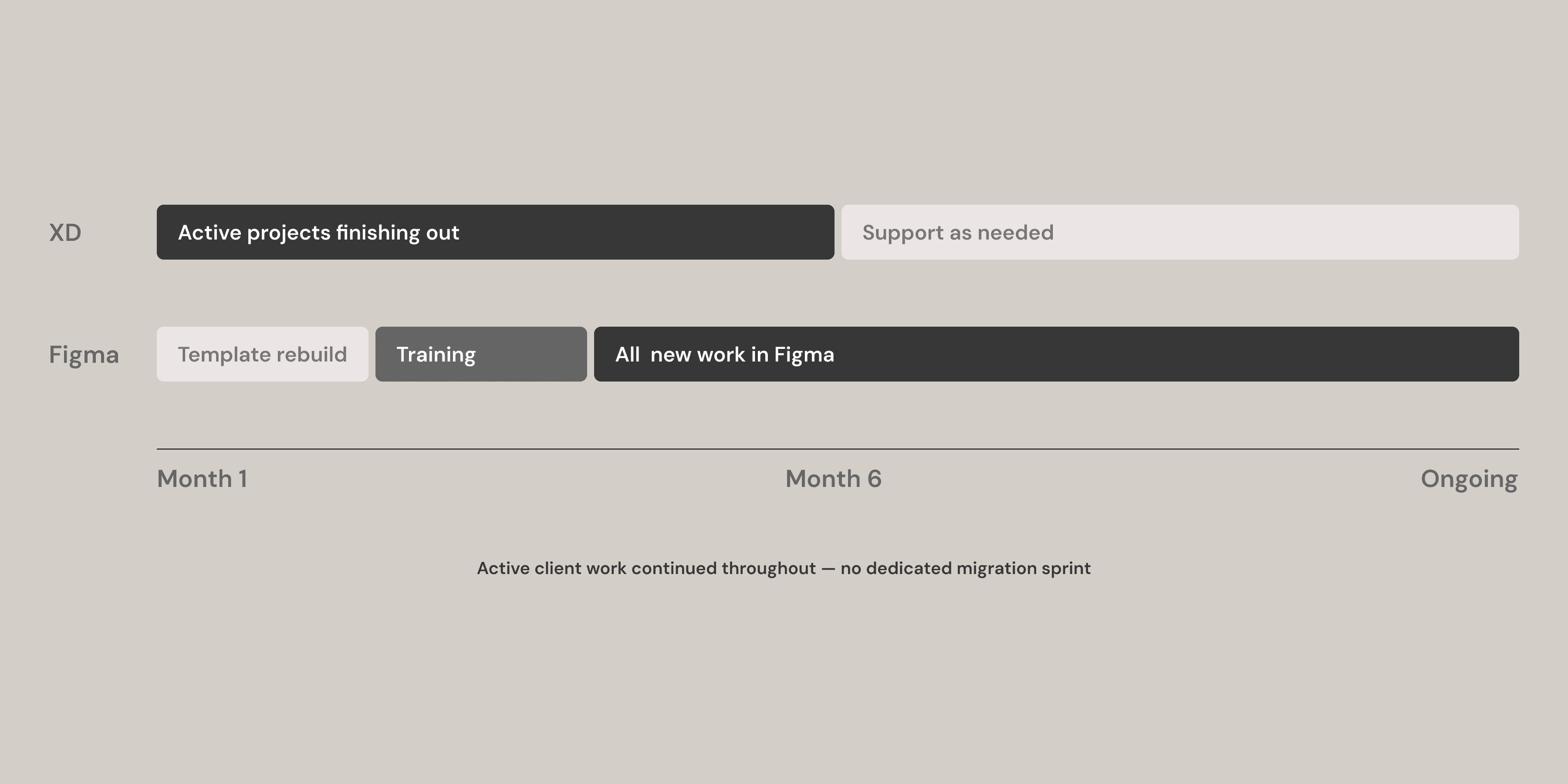
Six months from first Figma file to last active XD project — active client work continued throughout.
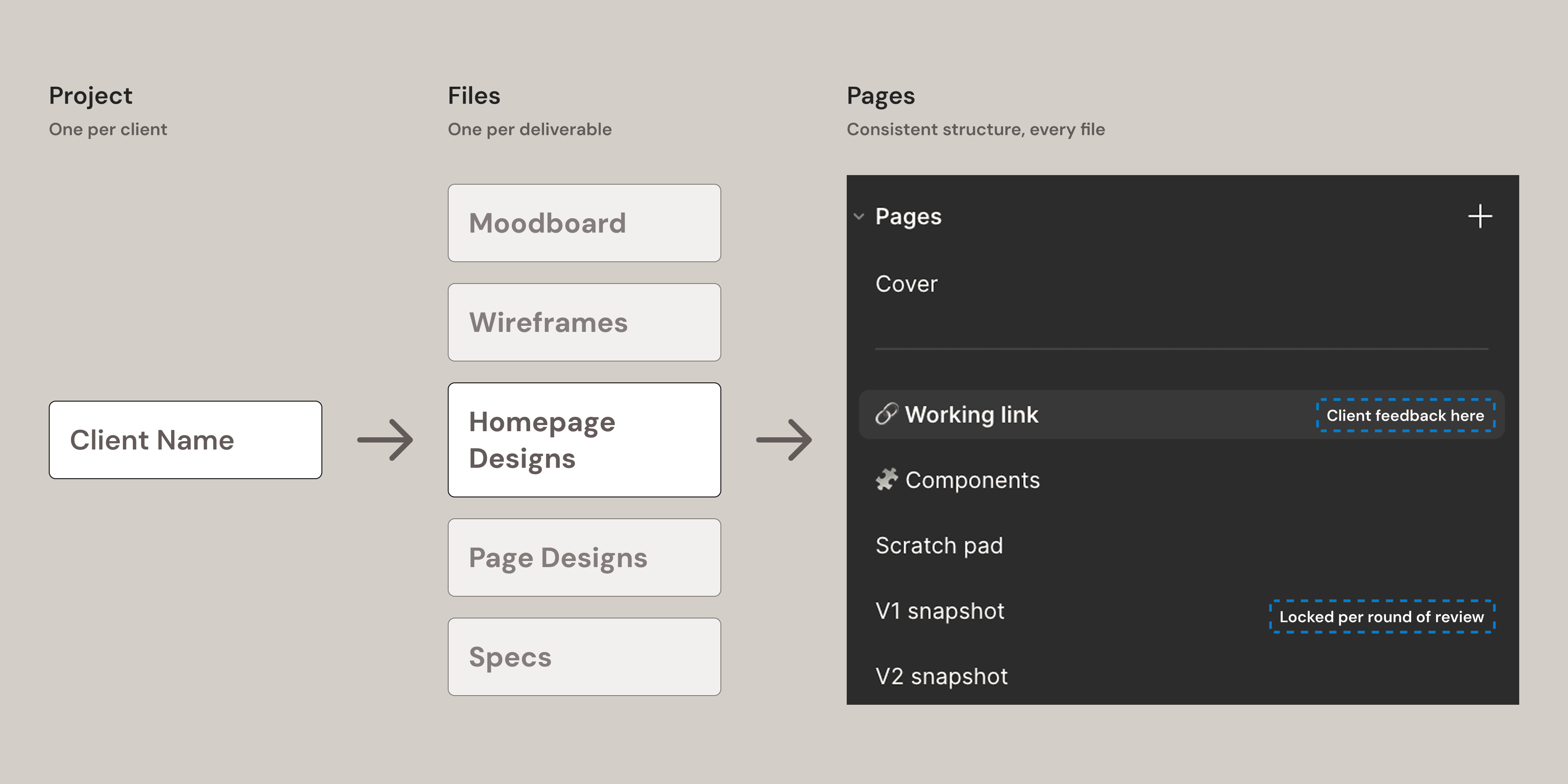
One project per client, one file per deliverable — the same page structure inside every file, across the whole team.
The System
A published component library wouldn't work for us — we'd need to create a new one per client, and it would quickly become unwieldy. Each client brings different brand requirements, content structures, and project scopes. Instead, every project starts as a copy of the base file. The designer adapts it for their client. When the project moves into visual design, they duplicate again and apply brand attributes to the local styles. Changes cascade through every component instance automatically, transforming the wireframes into high fidelity designs. In our process, the wireframes are the structural skeleton of the final designs rather than being discarded.
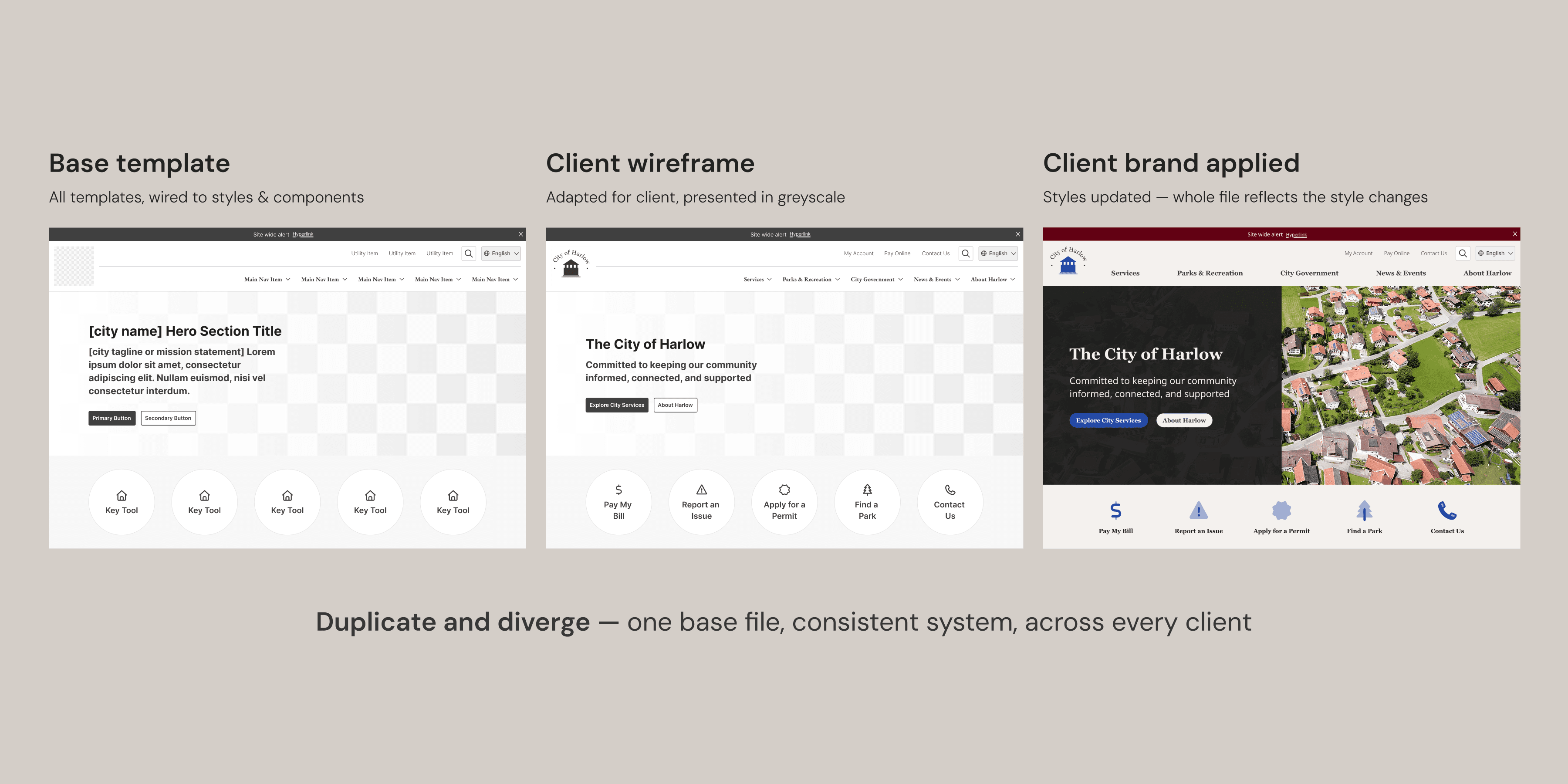
Base template to client wireframe to branded design — one base file, consistent system, across every client.
Foundational decisions needed to be made before building any components. A greyscale palette replaced a blue-scale the team had been using — it had been causing clients to mistake wireframes for finished design, so feedback was arriving at the wrong stage. A type scale mapped to CMS naming conventions so designers, developers, and ultimately clients shared a common language. An 8px spacing grid. A default icon set. Everything connected to a base component set, local styles, and variables.
In creating the systems I considered how the team actually works — the tools we use, the CMS we build in, and the clients we deliver to.
The component library took a few iterations and continues to be a living thing. The first version was over-engineered — not enough flexibility for the designers actually using it. Regular audit sessions with the team identified what wasn't working in practice, and I rebuilt around their feedback and experience using the system on real projects.
In the base file, components are organized by use case — a designer building a form searches within Inputs to find what they need. Each component carries its own documentation: what it is, when to use it, what states are available, and tips for a designer encountering it for the first time. A designer has as much information on hand as they need to understand the components they're working with.
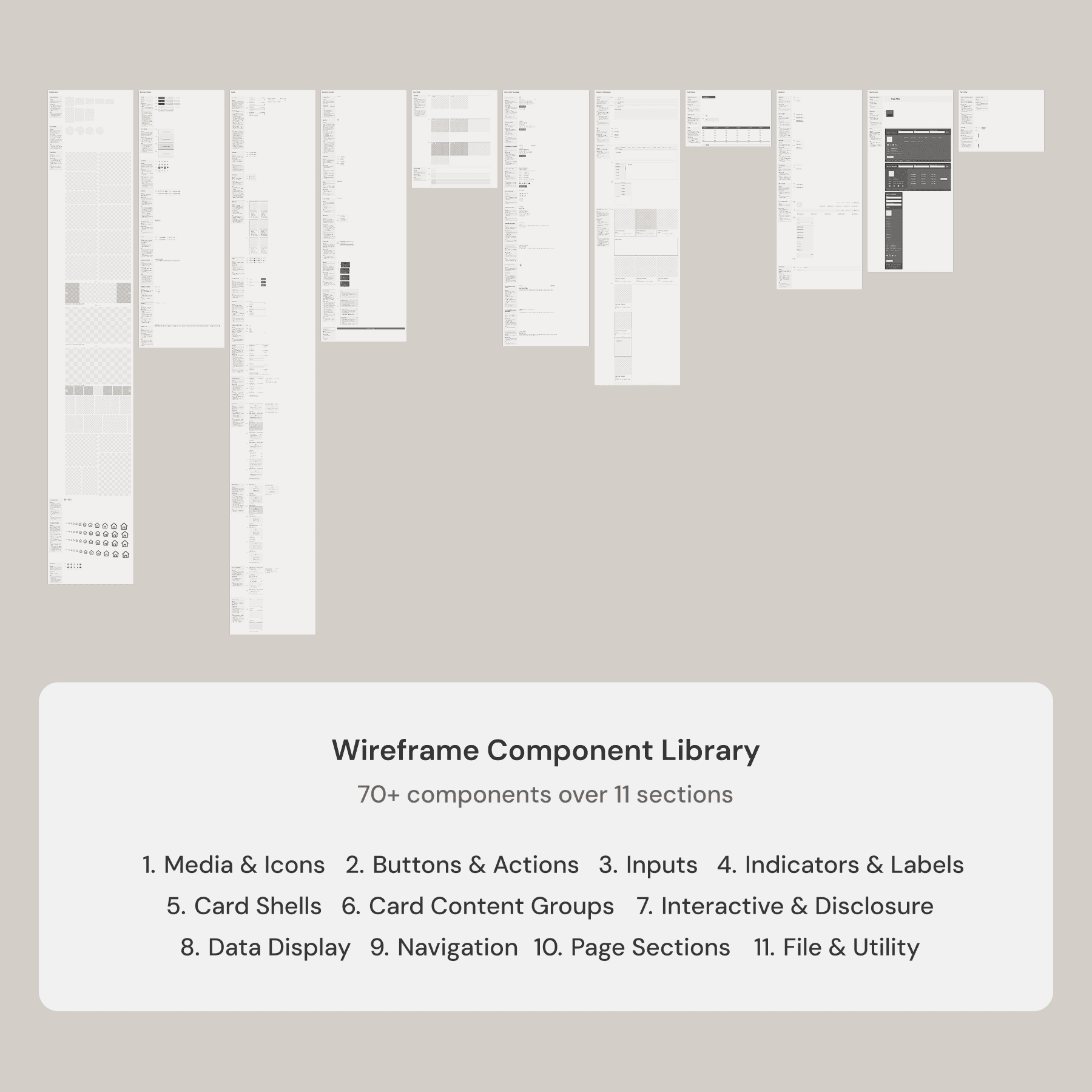
70+ components across 11 sections, organized by use case.
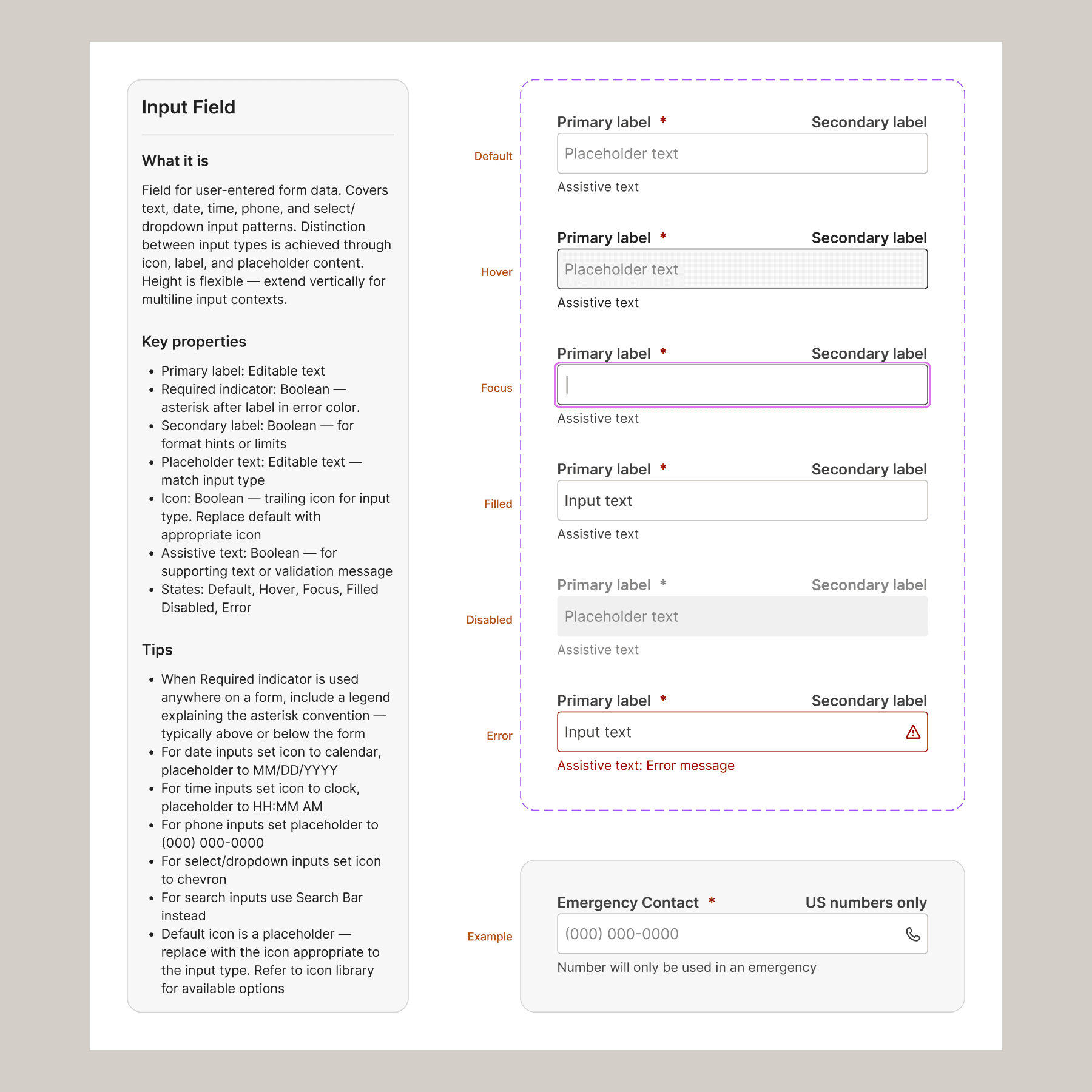
Each component documented in place — what it is, available states, key properties, and practical tips.
Expanding the Process
Some of our redesign clients started requesting mobile apps, and the agency began developing product concepts we could offer as add-ons. The process for this work is different — user flows and jobs-to-be-done carry more weight, and prototyping became more important to communicate functionalities to the client. Someone needed to figure out how these deliverables fit into our workflow and how we present them to clients. Since I was the one doing the product work, I was best positioned to define the process. Project managers now structure their timelines around these deliverables.
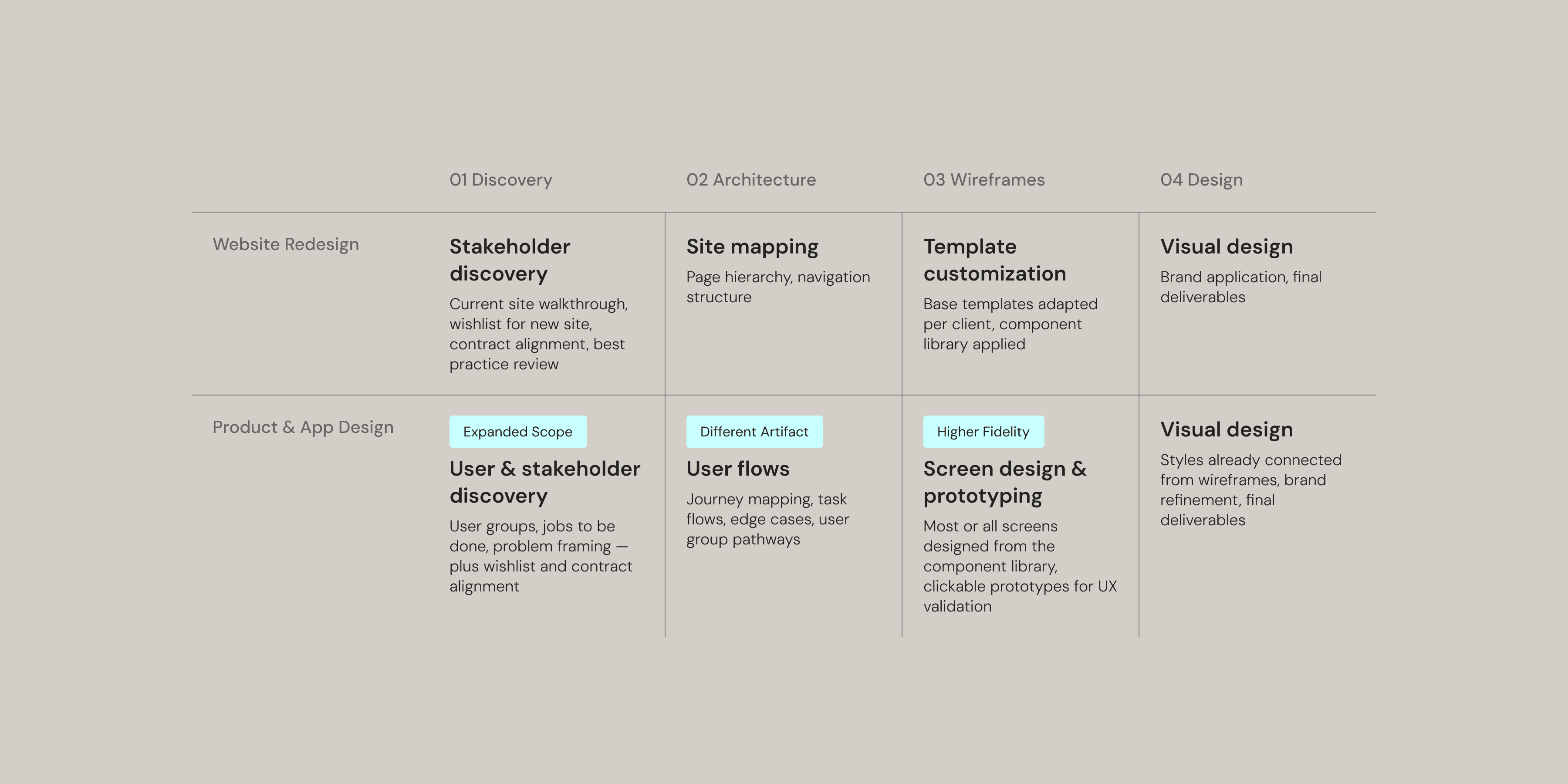
Website redesign follows the established template workflow — product and app design required a new process that I introduced and standardized
Investing in the Agency
The agency's public website was seriously outdated and didn't represent the quality of our output — not a great first impression for potential clients. I redesigned it and developed brand guidelines that gave the rest of the organization a shared visual reference. Sales updated their proposals. Support updated their training materials.
People didn't know where to look for what they needed — the same requests kept surfacing across platforms.
The intranet came from a different problem. Internal information was scattered across platforms — staff didn't know where to look for what they needed, so the same requests kept surfacing in Slack. I designed a centralized system covering departments, projects, HR, and company resources.
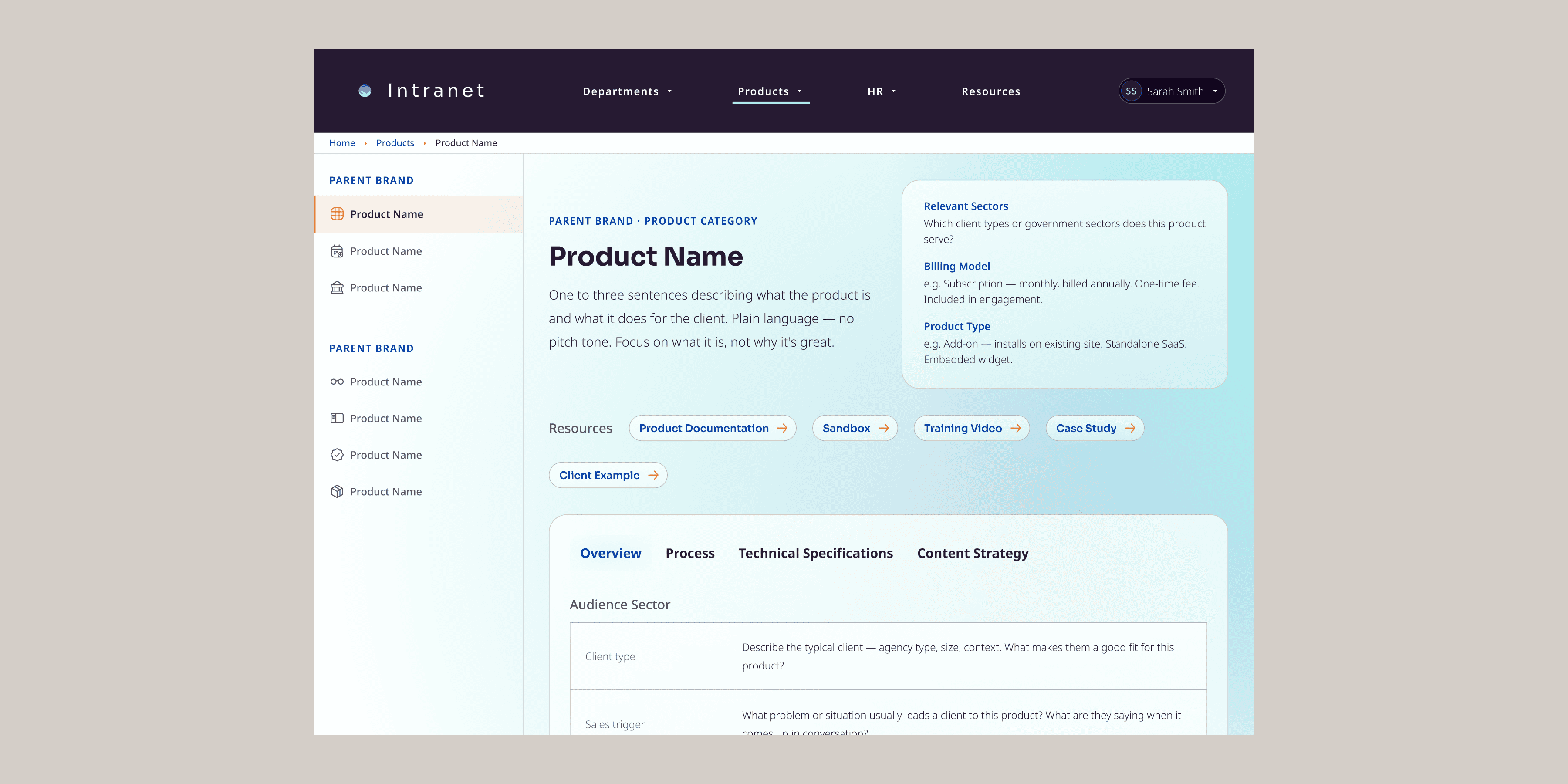
A centralized home for internal information — replacing scattered Slack requests and disconnected tools with a single structured resource.
The Impact
The designers produce cleaner, more comprehensive files and have stronger skills than when I arrived. They're contributing back to the system — it's not something I maintain alone.
Planeteria has documented systems, real design assets that will outlast any individual, a product design capability that didn't exist before, and a design team that collaborates across disciplines more easily.