The eDocs Library
The eDocs library is a web application for two audiences. External users — engineers, lab professionals, clients — search and download technical documents. Administrators manage a growing library across multiple document types and languages.
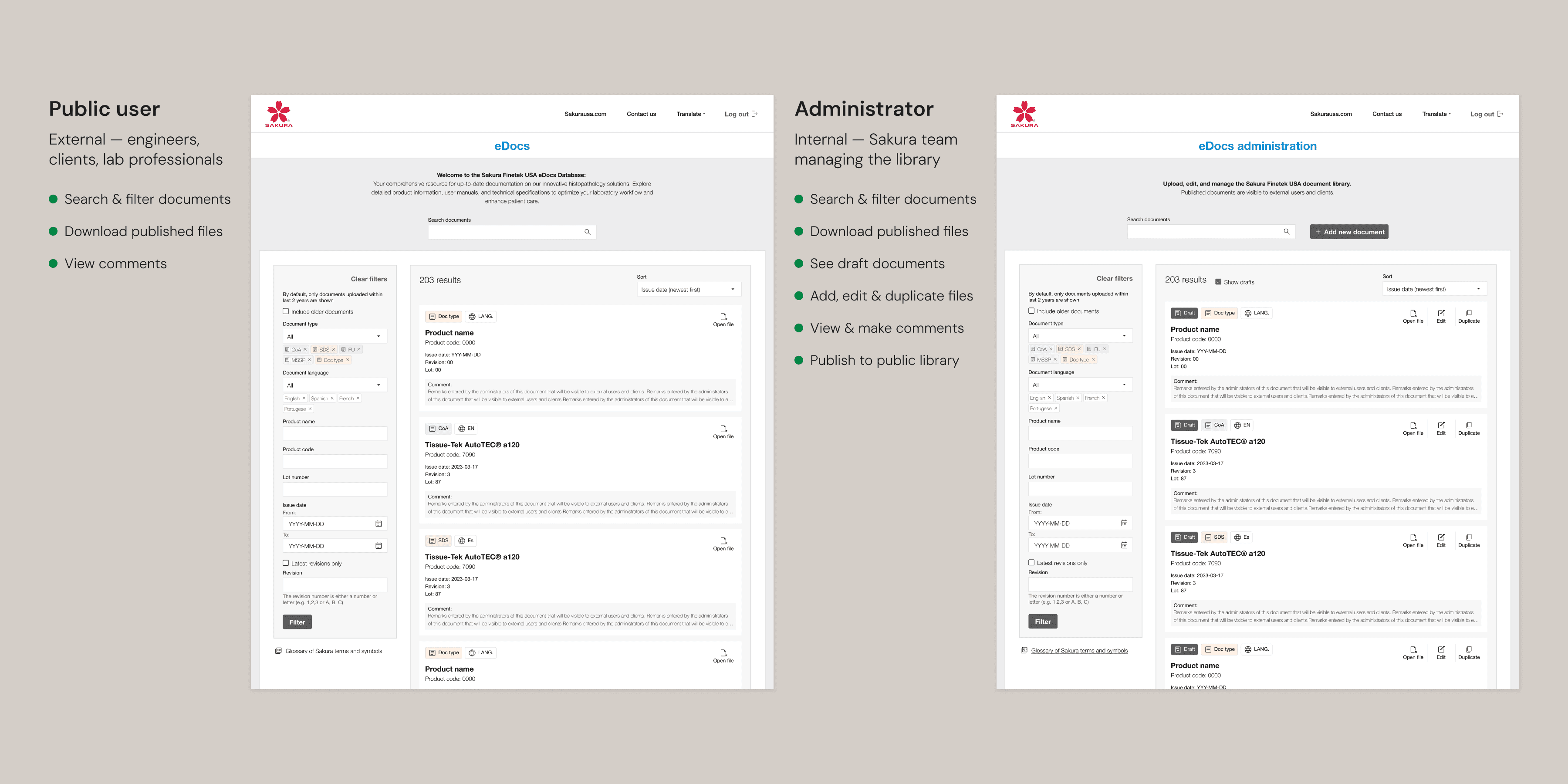
Public and administrator views — same interface, different permissions and capabilities
Many documents in the library share identical product names, codes, and dates, differing only by language, document type, or revision number. In a dense list, those distinctions need to be immediately visible. The badge system — color-coded by document type, with a separate language indicator — makes each document's identity scannable at a glance.
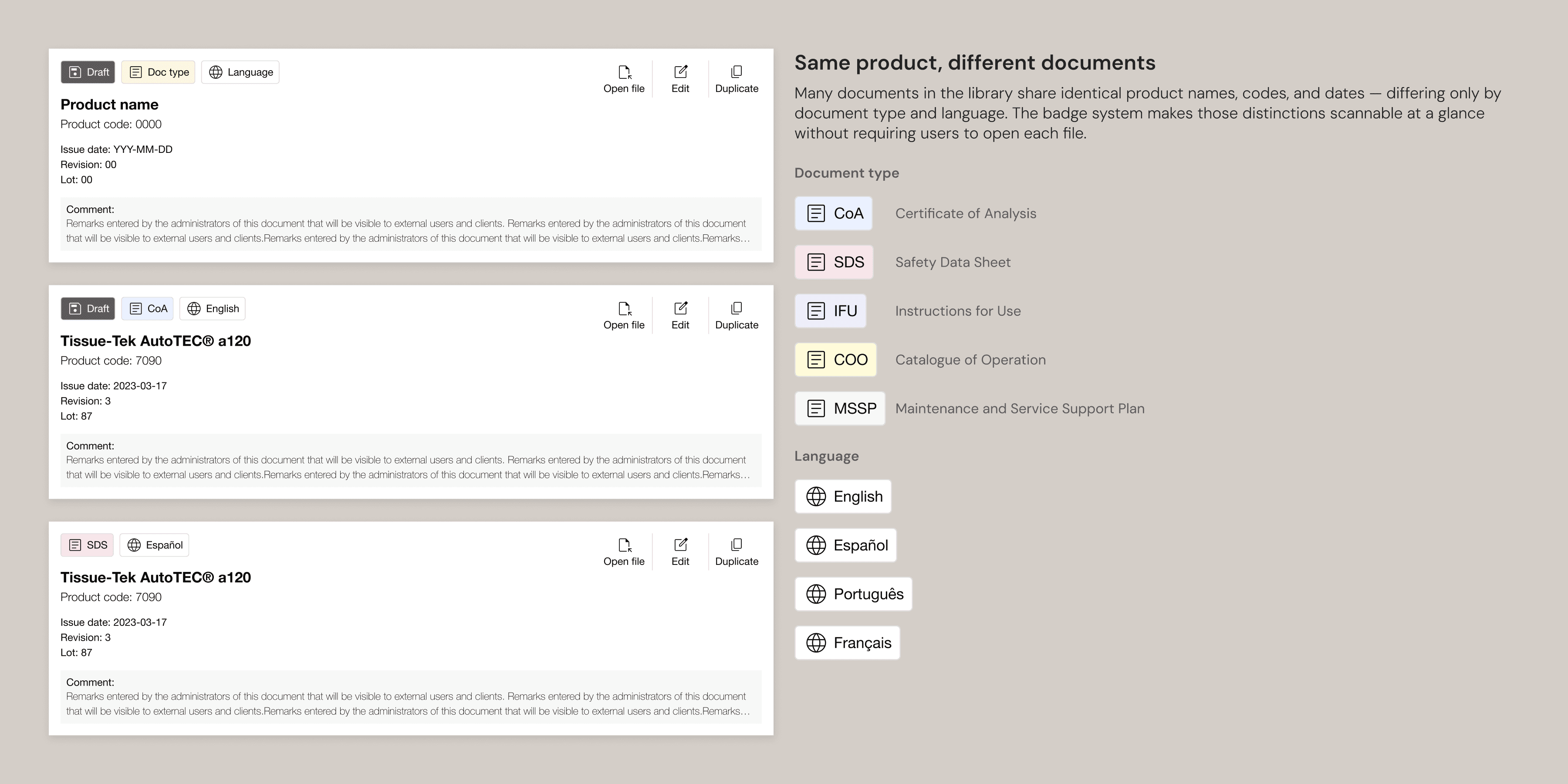
Same product, different documents — color-coded badges make document type and language scannable without opening each file
A duplicate can't be published unless at least one attribute differs from the original.
Documents that share almost all their metadata were being entered from scratch every time. The duplicate feature copies all existing metadata into a new record, leaving the admin to change only what's different. To protect library integrity, a duplicate can't be published unless at least one of document type, language, or revision differs from the original.
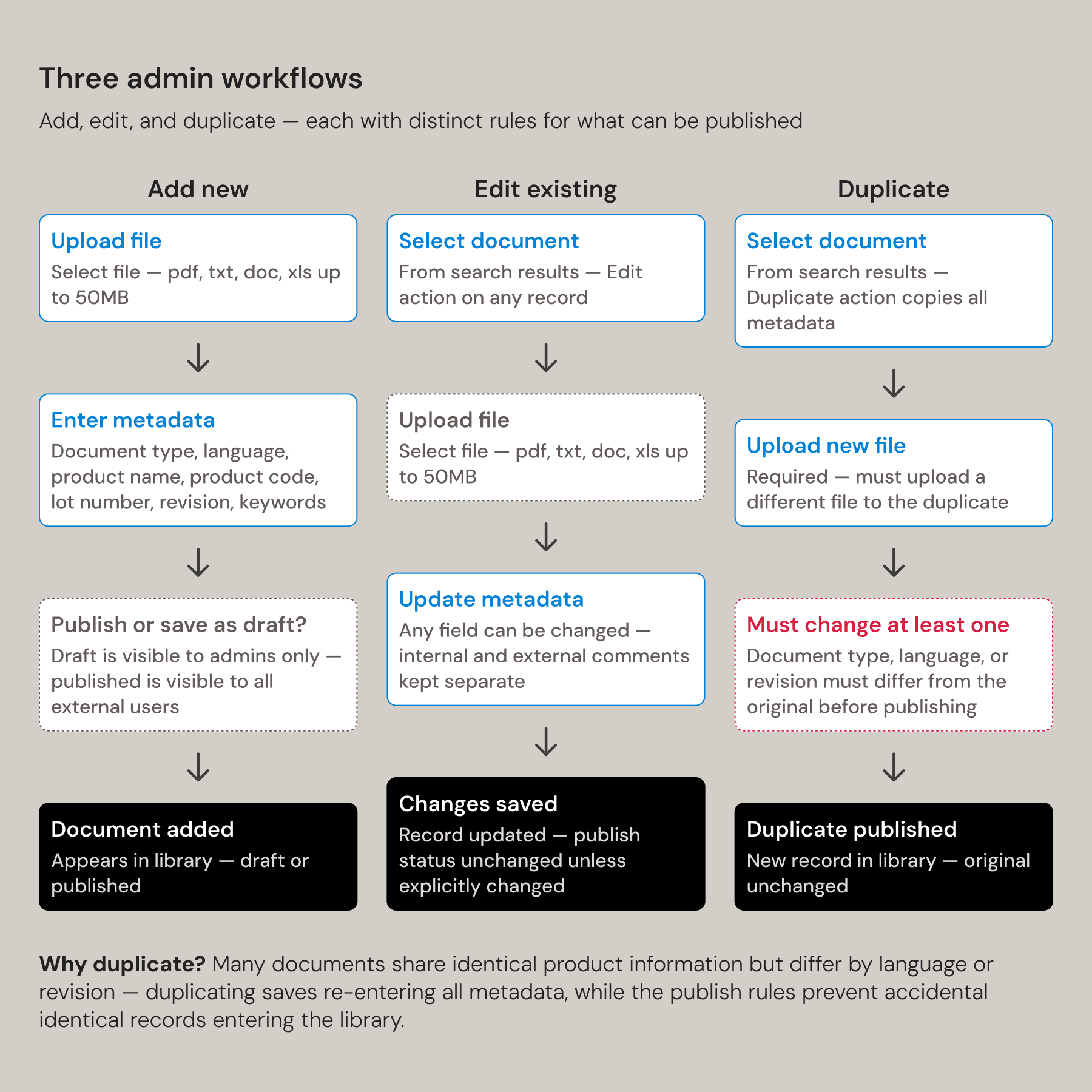
Three admin workflows — add, edit, and duplicate — with publishing rules that prevent identical records entering the library.
The Sales App
Sakura's reps were already using tablets in the field. The app organizes products by clinical workflow stage — the way medical professionals already think about their work — so the navigation required no learning curve.
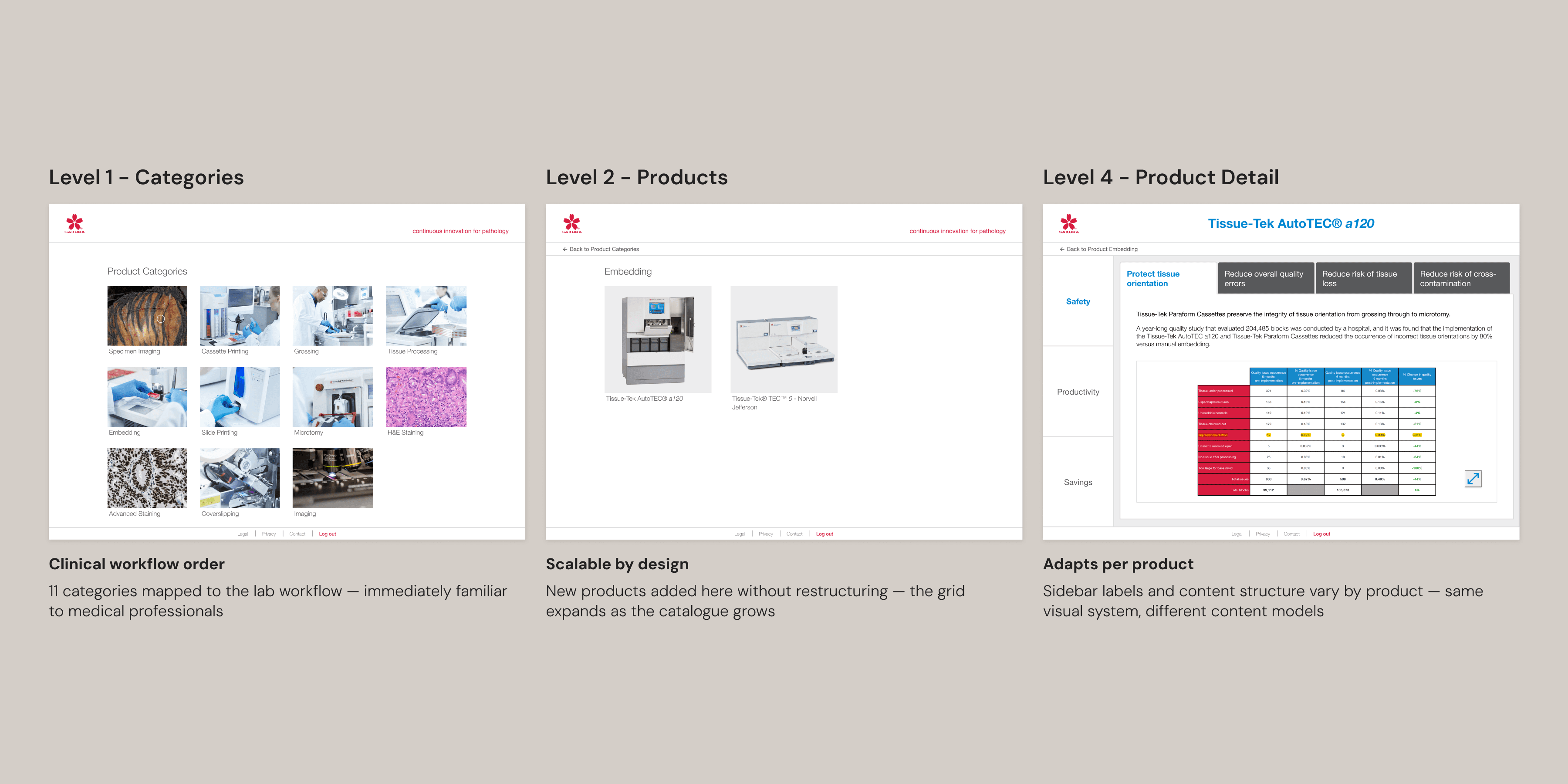
Three levels — categories, products, and detail — mapped to clinical workflow so the structure scales as the catalogue grows
The client required that detail pages work without scrolling — a tablet might be handed to a client mid-meeting to browse independently. That meant every product's content had to fit a fixed viewport, regardless of how much or how little information it had. Character limits, image height constraints, and maximum option counts were built into the CMS as hard limits, not guidelines — so the layout holds no matter what content is entered.
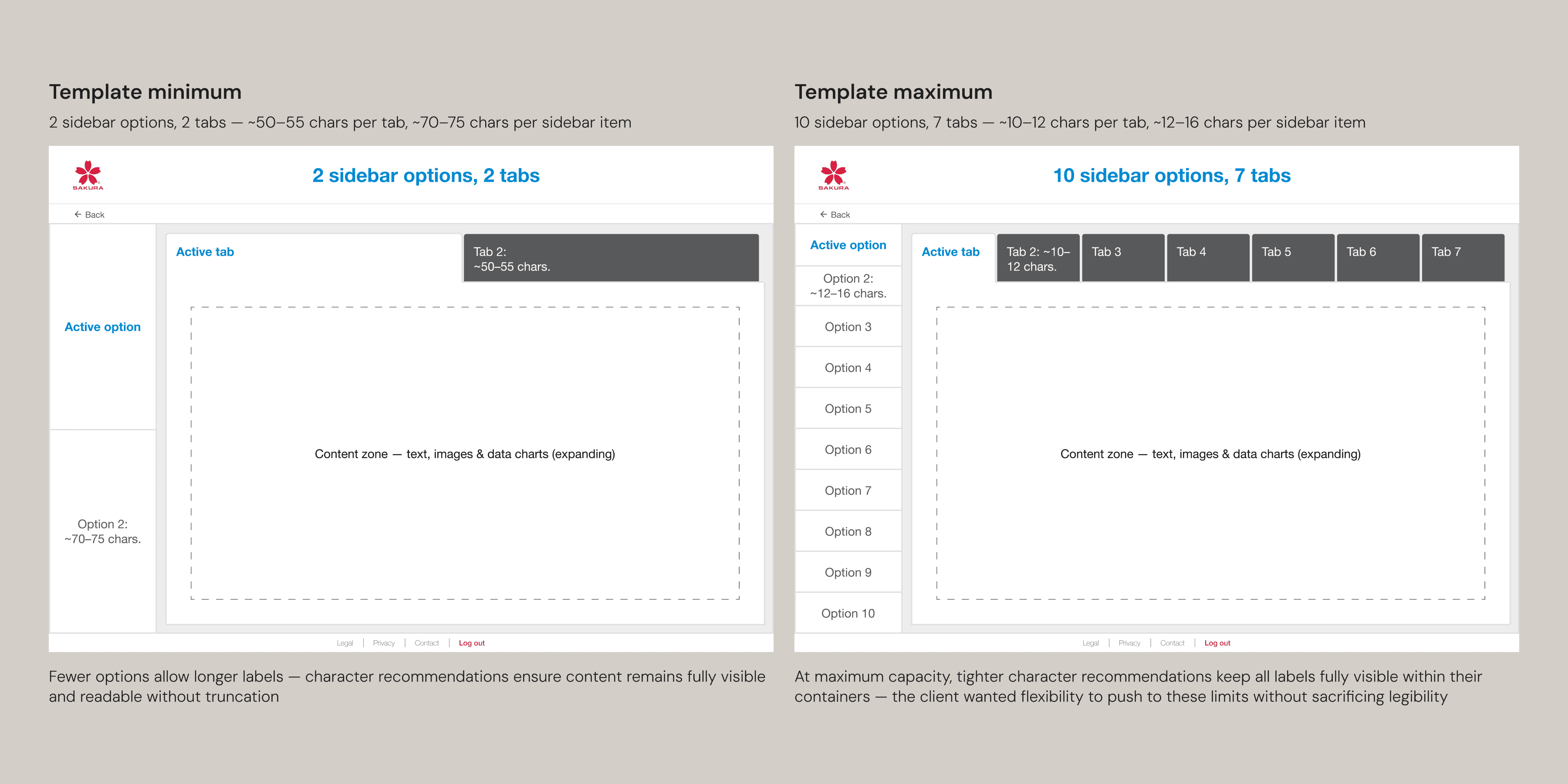
Stress-tested against worst-case content — longest product names, maximum navigation options — hard limits keep layouts intact under real conditions
Character limits and hard constraints were built into the CMS — so the clients can't break the layout when content is entered.
The Website Redesign
Sakura wanted a visual refresh and a migration from Drupal to WordPress but wouldn't commit to a full overhaul without user preference data. Redesigning the homepage first and running an A/B test with an on-page survey gave them that proof. The results made the case and unlocked the full migration.
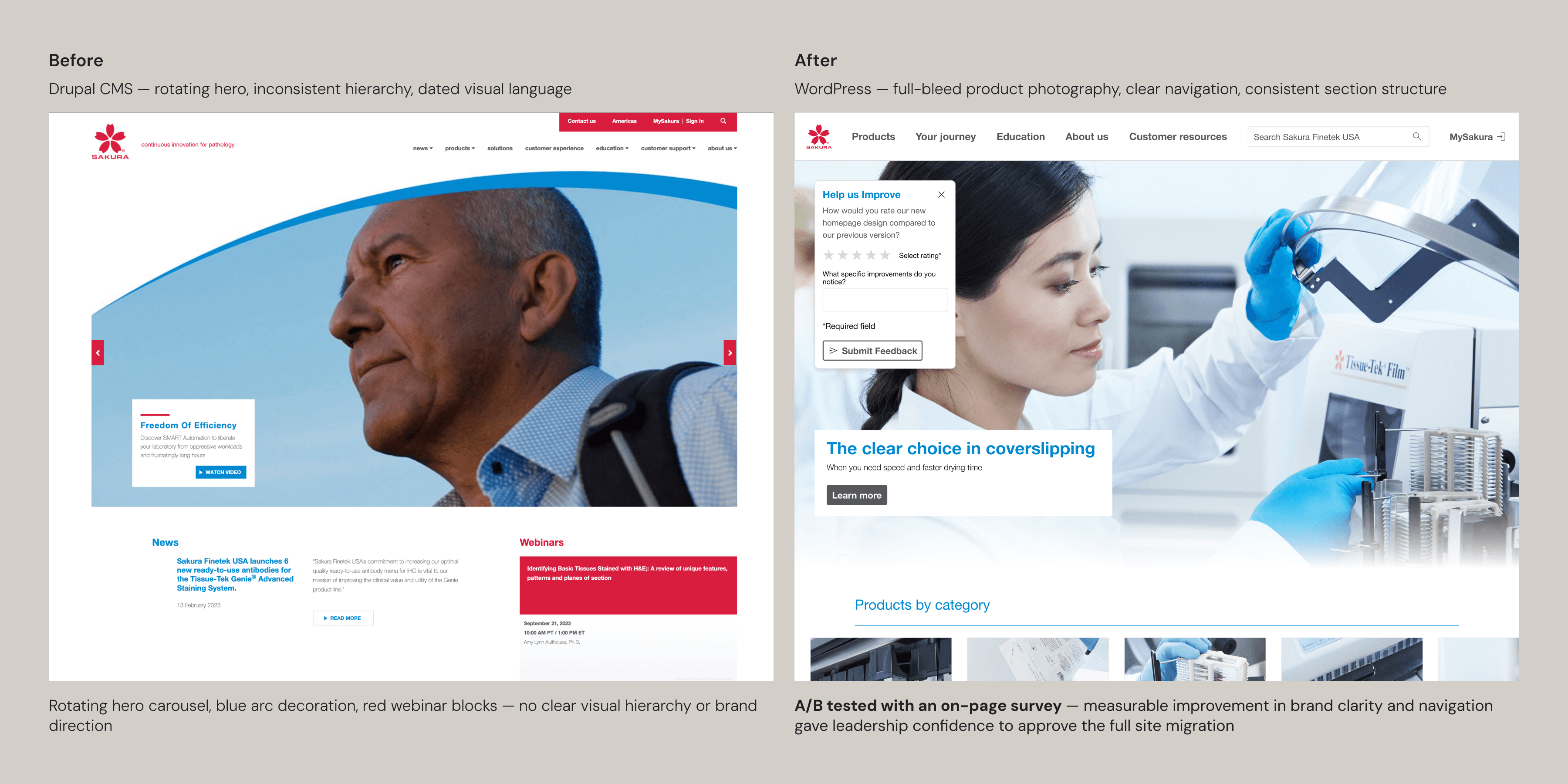
Before and after — A/B tested with an on-page survey before committing to the full migration
I walked the client through the constraints and explained the perameters, rather than just saying 'this doesn't comply.
The brand colors had been applied in ways that created accessibility problems — blue on buttons and small text where it failed WCAG AA, red as a UI fill where its associations with warning and error made it misleading. I brought the client into the accessibility auditing tools and walked them through the reasoning — what fails, where, and why. I wanted them to see that the decisions were grounded in something concrete, not just my preference.
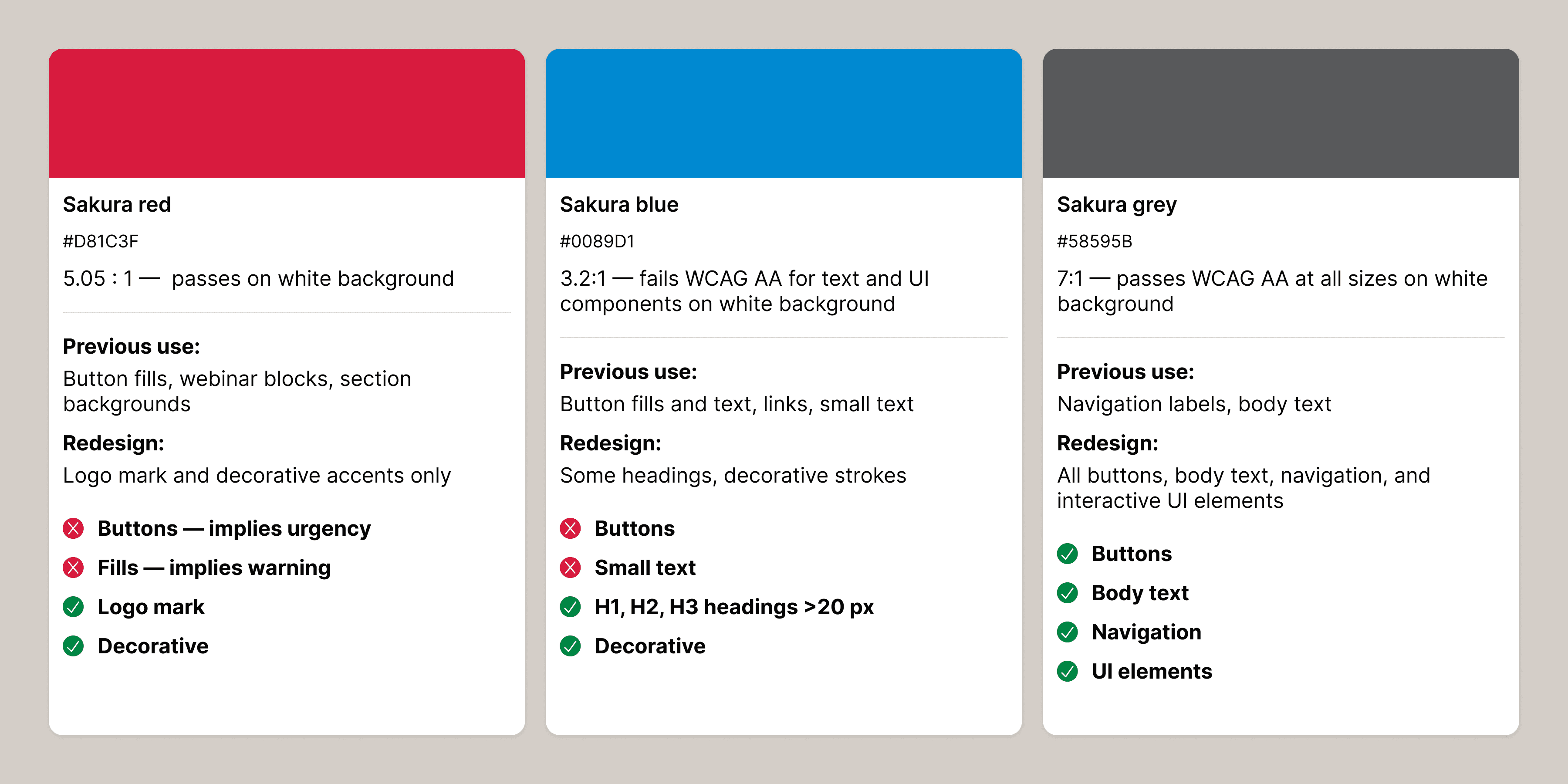
Three brand colors, three distinct roles — each reassigned based on contrast performance and contextual meaning
A shared visual language
As the projects progressed, design decisions accumulated into something coherent. Spacing, density, tone, the way information was structured — each product drew on what came before, adapted to its own context, and fed back into the next. The sales app prioritizes product imagery. The website tells a brand story. The eDocs library is built around scanning and filtering. They look like they belong together, but none of them had to compromise for the sake of consistency.